
Q-Basics2go2.7.2 - Google Play
You'll be able to see results in few seconds.
Publisher Description
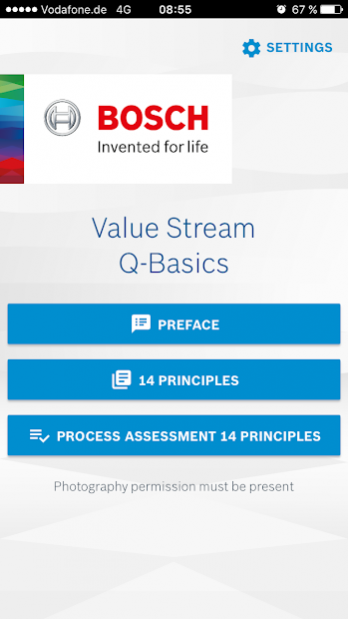
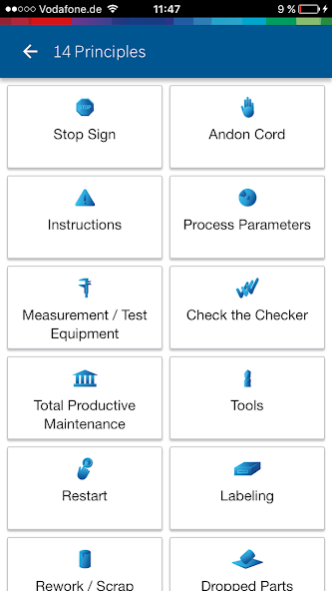
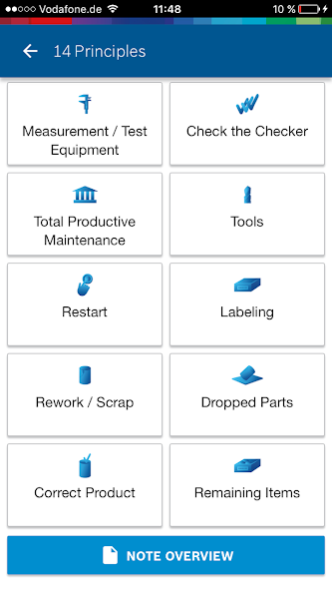
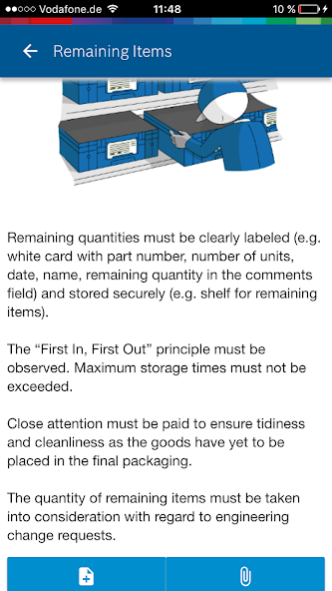
Capable production processes and operations throughout the entire value stream are decisive for the delivery quality of our products. We can only achieve zero defects if we identify and eliminate failure modes in every work step, define standards and consistently adhere to them. Derived from main errors of the past, the 14 Q-Basics for the value stream describe fundamental standards which will help us to achieve best quality. It is important that all associates are involved in the implementation of these standards and in the continuous improvement process. Only then we shall have failure-free processes and permanently satisfied customers.
The Q-Basics2go App is a newly designed app to improve the establishing of standards in the value stream context. With this app a new possibility is given to make your work more efficient. The Q-Basics2go app supports you in taking notes and comments for the respective 14Q-Principles.
You are given the opportunity to take photos and attach them to your notes. You can also export this via mail and share it within your organization.
Some of the main features are:
1. Explanation of the 14-Q-Principles
2. Notes creation and editing
3. Photo capture and editing
4. Email dispatch
Requirements for Android:
All Android devices with min. Android min 6.x installed.
About Q-Basics2go
The company that develops Q-Basics2go is Robert Bosch GmbH. The latest version released by its developer is 2.7.2.
To install Q-Basics2go on your Android device, just click the green Continue To App button above to start the installation process. The app is listed on our website since 2022-02-14 and was downloaded 0 times. We have already checked if the download link is safe, however for your own protection we recommend that you scan the downloaded app with your antivirus. Your antivirus may detect the Q-Basics2go as malware as malware if the download link to com.bosch.app.qbasics is broken.
How to install Q-Basics2go on your Android device:
- Click on the Continue To App button on our website. This will redirect you to Google Play.
- Once the Q-Basics2go is shown in the Google Play listing of your Android device, you can start its download and installation. Tap on the Install button located below the search bar and to the right of the app icon.
- A pop-up window with the permissions required by Q-Basics2go will be shown. Click on Accept to continue the process.
- Q-Basics2go will be downloaded onto your device, displaying a progress. Once the download completes, the installation will start and you'll get a notification after the installation is finished.
Program Details
System requirements
Download information
Pricing
Version History
version 2.7.2
posted on 2022-02-15
New Functions coming with version 2.7
- Questionnaire updated to the new CDQ
- Implemented Level Logic acc. to CDQ
- Additional input fields for assessment creation
- Comments can now be made on Q-Principle level
- Adjusted result overview
version 2.6.4
posted on 2021-10-07
Bugfixes
Disclaimer
Official Google Play Link
We do not host Q-Basics2go on our servers. We did not scan it for viruses, adware, spyware or other type of malware. This app is hosted by Google and passed their terms and conditions to be listed there. We recommend caution when installing it.
The Google Play link for Q-Basics2go is provided to you by apps112.com without any warranties, representations or guarantees of any kind, so access it at your own risk.
If you have questions regarding this particular app contact the publisher directly. For questions about the functionalities of apps112.com contact us.
